// screenshots
tool · open source
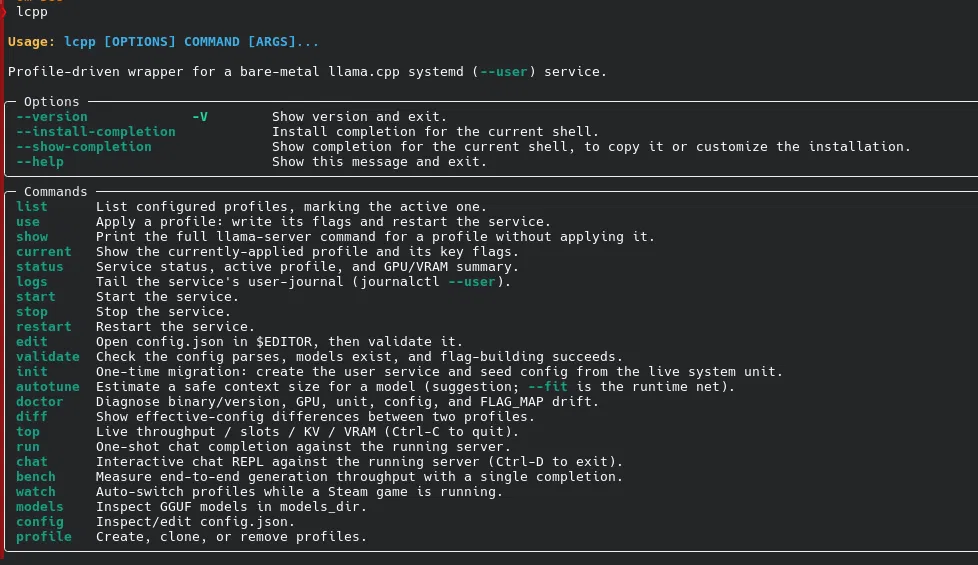
Profile-driven CLI for llama.cpp running as a systemd --user service. Switch inference profiles, autotune context from available VRAM, and hand the GPU back when you launch a game. No sudo needed anywhere.
llama-launcher turns a hand-tuned llama.cpp server into something you drive with a single command. Rather than editing a systemd unit and restarting by hand every time you want a different model or a longer context, you keep your setups as named profiles in one config.json and switch between them with lcpp use <profile>.
A profile is just a set of llama-server flags — model, context size, GPU layers, KV-cache type, batch sizes, chat template. Applying one writes those flags to the service's environment file, restarts the server, and waits for /health to come back green before reporting success. If the new profile can't load — a bad flag, not enough VRAM — it rolls back to the last working one on its own.
Everything runs as a per-user systemd service, so the daily loop never touches root: install with pipx, seed the unit once, then switch, restart, and tail logs as yourself. It stays a thin, transparent wrapper around your build — lcpp show <profile> always prints the exact command it would run — not a model registry or a proxy.
one runtime dependency · 63 tests · ruff + mypy clean